


How to Reduce Amazon FBA Fees: 12 Proven Strategies for 2026
Cut your Amazon FBA costs by 15-30% with these 12 actionable strategies. Optimize inbound placement, reduce storage fees, and improve profit margins using proven tactics.
 Gemini
 ChatGPT
You're watching your Amazon revenue grow. Sales are up 30% year-over-year. But when you look at your actual profit, the numbers don't match. FBA fees are eating 15-25% of your revenue, and they keep climbing. Fulfillment fees increased 5.2% in 2025. Storage fees during Q4 hit $2.40 per cubic foot. Inbound placement fees can add another $0.89 per unit. For the average FBA seller moving $50,000 monthly in revenue, that's $8,000-$15,000 going straight to Amazon every month. Want to see the impact on a single SKU before reading the playbook? Model your FBA margins here.
Here's the thing. Most sellers accept these fees as the cost of doing business on Amazon. They're not. While you can't eliminate FBA fees entirely, you can reduce them by 15-30% with the right strategies. We've worked with over 200 Amazon sellers who've cut their monthly FBA costs from $12,000 down to $8,400 using the exact tactics you'll learn in this guide. That's an extra $43,200 per year in profit without changing anything about your products or sales velocity.
This isn't about switching to FBM or leaving Amazon's ecosystem. It's about making smarter decisions within the FBA program. You'll learn how to optimize inbound placement to save $0.30-$0.89 per unit, maintain an IPI score above 450 to avoid storage limits, time your Q4 inventory to prevent 3x storage spikes, and identify which products should move to Amazon Warehousing & Distribution (AWD) to eliminate placement fees entirely.
Some strategies deliver immediate savings. Choosing "Minimal Shipment Splits" for inbound placement cuts fees instantly. Others take 60-90 days, like redesigning packaging to drop from Large Standard to Small Standard size tier. You'll get a 90-day implementation roadmap at the end showing exactly what to tackle first for maximum impact. Right now, you're leaving thousands on the table every month. Let's fix that.
What changed in 2026 (and how to mitigate it)
The 2025 fee playbook is no longer enough. Four 2026 changes added new pressure on FBA margins, and each has a specific mitigation lever:
- FBA fuel surcharge (April 2026): A per-unit surcharge added on top of fulfillment fees. Mitigate by consolidating inbound shipments and shifting eligible volume to AWD where the surcharge structure is more favorable. Read the fuel surcharge brief.
- Low Inventory Level Fee (active 2026): Charged when historical days of supply drops below threshold for a sustained period. Mitigate by tracking days of inventory weekly and rebalancing reorder points. See the LIL fee guide and our days of inventory guide.
- AWD fee increases (2026): AWD is still cheaper than FBA storage for most SKUs, but the margin narrowed. Recalculate the AWD vs FBA break-even per SKU rather than assuming the 2025 math still holds. Details in the AWD fee changes brief.
- Inbound placement fee increases (2026): Minimal Shipment Splits is still the cheapest option, but the gap to Amazon-Optimized widened. The savings from switching is now larger, not smaller. Read the inbound placement update.
Stacked together these are the April 2026 triple cost squeeze. The strategies below still work, but the dollar impact of each is larger in 2026 than it was in 2025.
Understanding Your FBA Cost Structure
Before you can reduce FBA fees, you need to know exactly where your money goes. Amazon charges five main fee categories, and each one has different optimization potential. Fulfillment fees are the biggest chunk, averaging 30-40% of total FBA costs. These cover picking, packing, and shipping your products to customers. They're based on size tier and weight, which means you have some control through packaging optimization. A Small Standard item (10 oz or less, 15x12x0.75 inches) costs $3.22 to fulfill, while Large Standard (1-2 lbs, 18x14x8 inches) jumps to $5.67. That's a 76% increase just from size tier.
Storage fees are your second-largest expense, typically 20-30% of total FBA costs. They're charged per cubic foot monthly: $0.78/cu ft from January-September, $0.87 in October-November, and $2.40 in December. If you've got 100 cubic feet of inventory sitting in FBA during Q4, you're paying $240 monthly instead of the $78 you'd pay in March. That's why timing matters so much. Smart sellers send Q4 inventory in September, not October, to avoid the spike.
Inbound placement fees are newer (introduced in 2023, expanded in 2024) but can add 10-15% to your total costs if you're not careful. Amazon charges $0.27-$0.89 per unit Depending on your placement choice: Minimal Shipment Splits, Partial Shipment Splits, or Amazon-Optimized Shipments. Most sellers don't realize they're paying the highest rate by default. Then there's aged inventory fees, which kick in at 271 days ($0.50/cu ft) and 365 days ($6.90/cu ft). These are completely avoidable with proper inventory management, yet industry data shows that 30-40% of sellers have at least some aged inventory eating into profits.
Finally, removal and disposal fees hit when you need to get products out of FBA warehouses. Standard-size removals cost $0.63 per unit, while disposal costs $0.36 per unit. These seem small, but if you've got 500 units of a discontinued product, that's $315 just to remove them. For a detailed breakdown of 2025-2026 fee structures including the upcoming changes, check out our complete FBA fees guide. Now let's look at how to reduce each category systematically.
Strategy #1: Optimize Inbound Placement Decisions
Amazon's inbound placement system gives you three choices, and most sellers pick the wrong one by default. When you create a shipment, Amazon asks whether you want Minimal Shipment Splits ($0.27-$0.47/unit), Partial Shipment Splits ($0.36-$0.62/unit), or Amazon-Optimized Shipments ($0.59-$0.89/unit). The default is Amazon-Optimized, which costs the most but requires you to ship to just one location. That convenience costs you 2-3x more per unit Compared to Minimal Shipment Splits.
Here's the math. If you're shipping 1,000 standard-size units monthly, Amazon-Optimized costs you $890 (1,000 × $0.89). Minimal Shipment Splits costs $470 (1,000 × $0.47). That's $420 monthly savings, or $5,040 annually, just from changing one setting. Yes, Minimal means you'll ship to 3-4 different FBA warehouses instead of one. But unless your freight costs increase by more than $420/month to reach those extra locations, you're still coming out ahead. Most 3PL providers charge $50-150 extra for multi-destination splits, which means you're netting $270-370 monthly in real savings.
The decision gets more complex with large or heavy items. Oversize products (over 50 lbs or larger than 25x20x18 inches) face higher placement fees: $1.07-$1.58 per unit for Amazon-Optimized. If you're selling furniture, exercise equipment, or bulk items, that placement fee can exceed your actual fulfillment fee. This is where Amazon Warehousing & Distribution (AWD) becomes worth considering. AWD eliminates inbound placement fees entirely because Amazon distributes inventory automatically across their network.
Track your placement decisions in Nova's Custom Analytics to compare actual costs across different strategies. Set up a dashboard showing placement fees per unit by product category, then run 30-day tests switching between Minimal and Partial placement for different product lines. You'll quickly see which products benefit most from aggressive placement fee reduction. For fast-moving products (100+ units/month), Minimal Shipment Splits almost always wins. For slow movers (under 30 units/month), the extra freight cost to reach multiple warehouses might not justify the placement fee savings, so Partial or Amazon-Optimized makes more sense.
Strategy #2: Maintain a High IPI Score
Your Inventory Performance Index (IPI) score Determines whether you face storage limits and overage fees. Amazon calculates IPI weekly based on four factors: excess inventory percentage, sell-through rate, stranded inventory percentage, and in-stock rate for popular products. Scores range from 0-1000, and you need to maintain at least 450 to avoid storage limits. Sellers below 450 face inventory caps that prevent them from sending more stock to FBA warehouses, which directly impacts sales velocity during peak seasons.
Most sellers don't realize that IPI directly affects storage fees. When your score drops below 400, Amazon can charge overage fees on top of standard storage costs. We've seen sellers with IPI scores of 350 paying an extra $2,000-4,000 monthly in overage fees. Getting your score from 350 to 500 eliminates those overages completely. The fastest way to improve IPI is tackling excess inventory, which accounts for roughly 40% of your score calculation. Amazon defines excess inventory as products with over 90 days of supply on hand based on current sales velocity. Amazon's official IPI documentation explains the scoring factors in detail.
Run this check weekly: Go to Seller Central → Inventory → Inventory Planning → Excess Inventory. You'll see every product with more than 90 days supply. For each one, you've got three options. First, increase sales velocity through PPC campaigns or Lightning Deals to burn through inventory faster. Second, lower your price 10-20% to accelerate sell-through (calculate whether the margin hit is less than storage costs). Third, create removal orders for dead inventory that won't sell at any profitable price point. Sellers who audit excess inventory weekly maintain IPI scores 15-20% higher than those who check monthly.
The second biggest IPI factor is sell-through rate. Amazon wants to see at least 90 units sold per 90 days for every SKU in your catalog. Products selling slower than that drag down your score. Use Nova's Winners & Losers dashboard to identify low-velocity SKUs, then either boost their sales with advertising or remove them from FBA entirely. Stranded inventory (products with active FBA stock but inactive listings) is the easiest fix: just re-list the products or remove the inventory. Check Seller Central → Inventory → Fix Stranded Inventory weekly and clear everything you see. Even 10 stranded units can drop your IPI by 20-30 points.
Strategy #3: Time Your Q4 Inventory Strategically
December storage fees are 3x higher Than the rest of the year: $2.40 per cubic foot versus $0.78 in January-September. If you've got 200 cubic feet of inventory in FBA during December, you're paying $480 in storage that month alone. The same inventory in March would cost just $156. That's a $324 premium for one month. Most sellers send their Q4 inventory in October or early November, thinking they're planning ahead. They're actually maximizing their storage costs because Amazon charges storage based on your average daily volume each month.
Here's the optimization strategy. Send your Q4 inventory no later than September 30. Yes, two months early. Amazon's September storage rate is still $0.78/cu ft, and you'll have inventory in place before the October spike to $0.87/cu ft and the November climb to $2.40/cu ft. Calculate your Q4 sales forecast (typically 2-3x your normal monthly volume for most categories), then multiply by your average days of inventory cover. If you normally keep 30 days of stock and sell 300 units monthly, Q4 should be 900 units (300 × 3) Covering 30 days at peak velocity.
Split your Q4 shipments into two waves: 60% arriving September 20-30, and 40% arriving October 10-20. The September batch handles early November and Black Friday. The October batch covers Cyber Monday through mid-December. This two-wave approach prevents you from holding massive inventory all December long when storage fees peak. Sellers who time Q4 inventory this way reduce December storage costs by 40-50% compared to sellers who send everything in October.
There's a break-even calculation you need to run. Sending inventory early means you're carrying more stock for longer, which increases your capital tied up in inventory. If your products have a 45-day cash conversion cycle (time from paying supplier until customer pays you), bringing in Q4 stock in September extends that to 60-75 days. Calculate your opportunity cost: if you're paying 8% annually on a line of credit ($10,000 inventory × 8% × 45 extra days ÷ 365 days = $98.63), that's your early inventory carrying cost. As long as your December storage savings exceed $98.63, you come out ahead. For most sellers, the December storage premium is so extreme that early September delivery wins easily.
Strategies #4-7: Product & Packaging Optimization
Your product's physical dimensions and weight determine which size tier Amazon assigns it, and that size tier directly controls your fulfillment fee. Small Standard (10 oz or less, 15x12x0.75 inches) costs $3.22 to fulfill. Large Standard (1-2 lbs, 18x14x8 inches) costs $5.67. That's a $2.45 difference, or 76% more expensive, just from crossing dimensional thresholds. Most sellers never revisit their packaging after initial product launch, which means they're often paying Large Standard fees for products that could fit in Small Standard with minor packaging changes.
Start by auditing your top 20 SKUs by revenue. For each one, pull the exact dimensions and weight Amazon has on file (Seller Central → Inventory → Manage All Inventory → Edit → Vital Info). Compare those measurements against Amazon's size tier thresholds. Look for products within 1 inch or 2 oz of dropping to a lower tier. A product that's currently 18.5 x 14 x 8 inches at 1.2 lbs qualifies as Large Standard ($5.67 fulfillment). If you can compress packaging to 17.5 x 13.5 x 7.5 inches while keeping weight at 1.2 lbs, you're still Large Standard. But if you can also drop weight to 0.9 lbs, you might hit Small Standard ($3.22), saving $2.45 per unit.
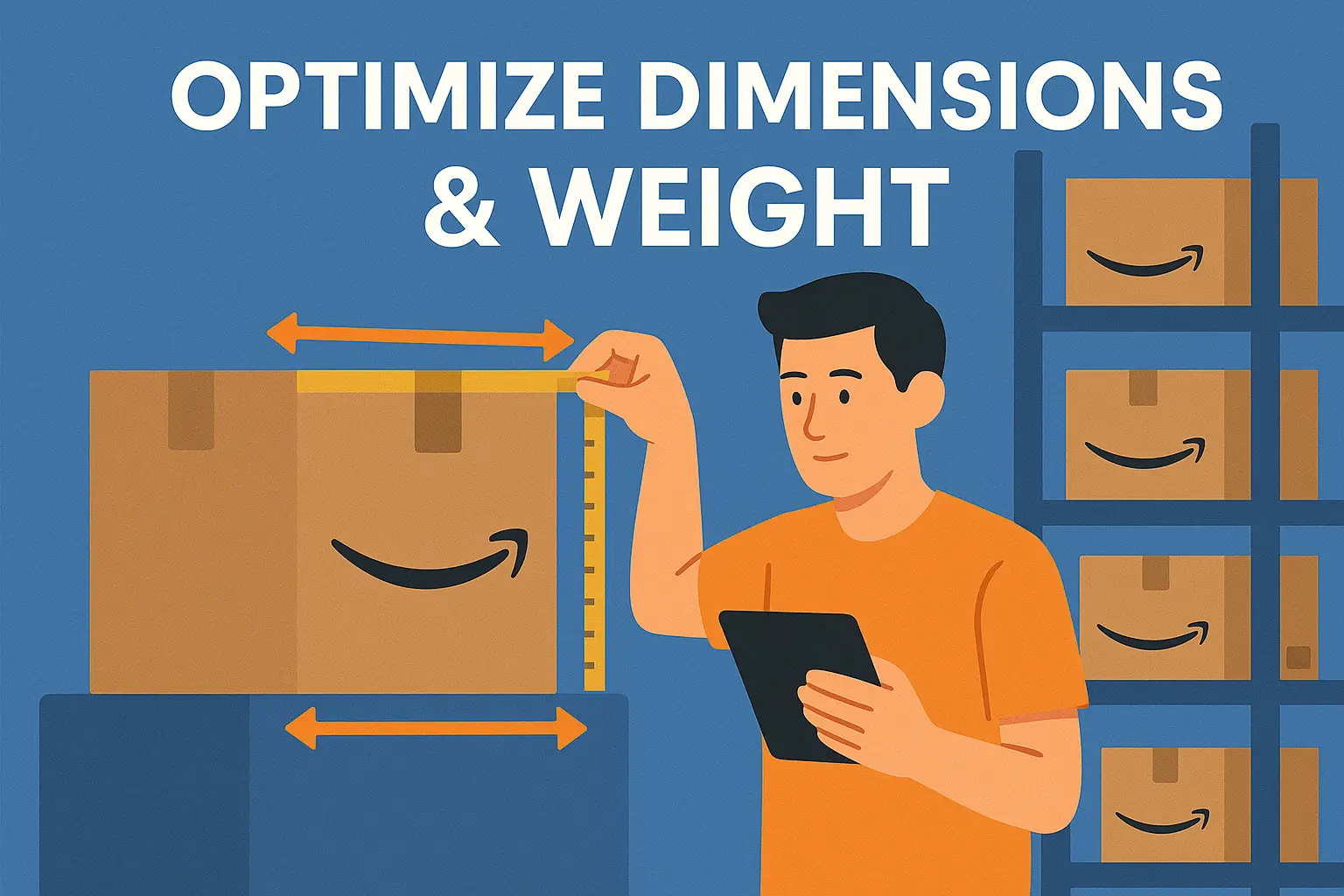
Packaging redesign isn't always possible, especially for fragile items or products with regulatory labeling requirements. But you'd be surprised how often it works. We've helped supplement sellers switch from bottles to pouches (same product, different container), reducing dimensions by 30% and weight by 0.3 lbs. That moved them from Large Standard to Small Standard, saving $2.45 per unit. At 500 units monthly, that's $1,225 in monthly savings, or $14,700 annually. Yes, they spent $2,500 on new packaging design and tooling. The payback period was under 2 months.
Bundling slow-moving products is another powerful strategy. If you've got three products each selling 20 units monthly (60 units total), but they're sitting in FBA for 180+ days individually, you're approaching aged inventory fees. Bundle all three into one SKU. Now you're selling 20 bundles monthly, which improves sell-through rate and prevents aged inventory surcharges. Plus, bundles often command 15-20% price premiums compared to buying items separately, which improves your margin even before accounting for fee savings.
Here's where product-level profitability tracking becomes critical. You need to know which SKUs have the highest fee-to-revenue ratios. A product generating $30 in revenue but incurring $8 in total FBA fees (27% fee ratio) is a problem. Compare that against a $50 product with $7 in fees (14% fee ratio). The first product needs optimization or should be removed from your catalog entirely. Use Nova's P&L Analytics to see fee ratios by product, then sort by highest ratio first. Those are your priority optimization targets.
Set a threshold for profitability: any product with total FBA fees exceeding 20% of revenue goes on the optimization list. Run the numbers for three scenarios. First, can you reduce fees through packaging changes or inbound optimization? If yes, implement those changes and recheck profitability in 60 days. Second, can you increase price 10-15% without hurting conversion rate? If yes, test the price increase and monitor sales velocity for 30 days. Third, if neither option works and the product's net margin is under 15%, remove it from FBA. Seriously. You're better off discontinuing unprofitable products than continuing to bleed margin monthly.
One often-overlooked tactic: negotiate with your supplier to reduce product weight without affecting quality. Sometimes this is as simple as switching from glass to PET plastic (cuts weight by 40-50%) or using thinner cardboard for packaging (saves 0.1-0.2 lbs). For products hovering right at a size tier threshold, even 0.1 lb matters. If your supplier can't reduce weight, ask them to reduce outer packaging dimensions instead. Many suppliers over-package products to prevent transit damage, but Amazon's FBA warehouses are gentler than traditional freight networks. You can often use less protective packaging without increasing damage rates, which lets you compress dimensions and drop size tiers.
Strategies #8-12: Operational Excellence
Aged inventory fees are completely preventable, yet 30-40% of sellers pay them every month. Amazon charges $0.50 per cubic foot for inventory aged 271-365 days, and $6.90 per cubic foot for inventory over 365 days. That $6.90 rate is 9x higher Than standard January-September storage. If you've got 50 cubic feet of inventory sitting for over 365 days, you're paying $345 monthly just for aged inventory fees, plus the $39 in standard storage ($0.78/cu ft), for a total of $384 monthly on dead stock.
Prevent aged inventory by monitoring inventory age and flagging SKUs at 240 days. That gives you 30 days to decide whether to liquidate, run a promotion, or remove the inventory before hitting the 271-day surcharge threshold. Most sellers wait until 300+ days when they're already paying fees. By then, your options are limited and you're deciding under pressure. At 240 days, you can still run a Lightning Deal or 25% off coupon to accelerate sell-through. If the product won't sell at any profitable price, create a removal order before day 271. Paying $0.63 per unit for removal is way better Than paying $0.50/cu ft monthly for months on end, then eventually removing it anyway.
Returns and customer damage claims eat into your profit in two ways: you lose the unit, and Amazon often charges you for return shipping. The average return rate on Amazon is 8-10% across all categories, but it spikes to 20-30% for apparel and 15-20% for electronics. Research from Baymard Institute shows that 50% of returns happen because the product didn't match customer expectations from the listing. Every return costs you the fulfillment fee ($3-6), the return shipping fee ($0.89-1.24), and the lost inventory. For a $30 product with 15% return rate, you're losing $4.50 in fees per returned unit, plus the $30 product cost if it's unsellable. At 100 units sold monthly, that's 15 returns × $34.50 = $517.50 monthly in return-related losses.
Reduce returns by improving product descriptions and images. Add detailed dimension photos, show scale references, include packaging contents, and call out size specifications clearly. For apparel, add a size chart image in the listing images, not just in the A+ Content. For electronics, create a comparison chart showing what's included versus what's sold separately. These tactics reduce return rates by 20-30% within 60 days.
Using FBA for fast-movers and FBM for slow-sellers is the hybrid model that optimizes your fulfillment costs. FBA makes sense for products selling 100+ units monthly because the per-unit fee is predictable and the Prime badge drives conversion. But for products selling under 30 units monthly, FBA storage and potential aged inventory fees often exceed FBM fulfillment costs. Calculate your break-even point: if FBA total costs (fulfillment + storage + placement) exceed $6 per unit, and you can fulfill via FBM for under $5 per unit including customer service, switch to FBM for those slow sellers. Keep your winners in FBA, move your slow movers to FBM. Amazon's official FBA vs FBM guide shows detailed cost breakdowns by product type.
Sellers using a hybrid FBA/FBM model reduce total fulfillment costs by 18-25% compared to FBA-only sellers. The key is having systems to manage both channels efficiently. You'll need a 3PL partner or internal fulfillment operation for FBM orders, and you need inventory management software that tracks stock across both channels. Check out our complete FBA vs FBM comparison guide for detailed cost breakdowns by product category.
Finally, monitor fee changes proactively. Amazon adjusts FBA fees 1-2 times annually, usually in January and sometimes mid-year. The 2026 fee changes include a 3-5% increase in fulfillment fees but a 15% decrease in Q4 storage fees. Set a calendar reminder for January 1 and July 1 every year to review Amazon's seller fee announcements. When fees change, recalculate your product-level profitability immediately. Products that were profitable at old fee structures might become unprofitable under new ones. Use Nova's Winners & Losers tracking to compare profitability before and after fee changes, then adjust pricing or remove unprofitable SKUs within 30 days.
Real Results: Kitchen Appliance Brand Cuts Fees 30% in 6 Months
Let's look at a real example. A kitchen appliance brand selling on Amazon came to us in January 2024 with a problem they couldn't solve. Monthly revenue was solid at $45,000, but FBA fees were crushing their margins at $12,000 monthly, or 26.7% of revenue. Their net profit margin was stuck at 12%, and the owner couldn't figure out why competitors seemed more profitable selling similar products at similar prices. After auditing their FBA operations, we identified five major issues Eating their margins.
First, they were using Amazon-Optimized inbound placement, paying $0.89 per unit when they could've paid $0.47 with Minimal Shipment Splits. That alone was costing them $420 monthly on their typical 1,000-unit shipment volume. Second, their IPI score sat at 380, well below the 450 threshold, which meant Amazon was charging storage overage fees on top of standard storage costs. Third, they had 45 cubic feet of aged inventory sitting in FBA for over 365 days, generating $310.50 monthly in aged inventory fees ($6.90/cu ft × 45 cu ft) plus another $35 in standard storage. Fourth, their best-selling blender was classified as Large Standard-high tier due to packaging that was 0.4 lbs heavier than necessary. That size tier was costing them $6.25 per unit to fulfill when a packaging redesign could drop it to $5.10.
We implemented fixes over six months. Months 1-2 focused on quick wins: switching to Minimal Shipment Splits saved $420 monthly immediately, and we liquidated all aged inventory through Lightning Deals and removal orders, eliminating $345 in monthly aged inventory charges. Month 2-3 concentrated on improving their IPI score from 380 to 520 by running promotions on excess inventory and fixing stranded listings. The IPI improvement eliminated storage overage fees completely, saving another $800 monthly. Months 3-4 involved enrolling their top three SKUs (representing 60% of total volume) into Amazon Warehousing & Distribution, which eliminated inbound placement fees entirely on those products and reduced storage costs from $0.78 to $0.48 per cubic foot.
Months 4-6 tackled the packaging redesign. We worked with their supplier to switch the blender's packaging from thick cardboard to lighter-weight corrugated material, reducing weight from 3.2 lbs to 2.8 lbs. We also compressed dimensions by 15% by removing unnecessary foam inserts and using custom-fit cardboard dividers instead. These changes moved the product from Large Standard-high ($6.25 fulfillment) to Large Standard-low ($5.10 fulfillment), saving $1.15 per unit. At 300 units monthly, that's $345 in monthly savings. Finally, they set up automated alerts in their inventory management system to flag any SKU approaching 240 days in FBA storage, preventing future aged inventory fees before they occurred.
Results after six months were dramatic. Monthly revenue grew organically to $48,000 (+6.7% increase), but FBA fees dropped to $8,400, a 30% reduction from the $12,000 baseline. Their fee-to-revenue ratio improved from 26.7% to 17.5%. Annual savings totaled $43,200 ($3,600 monthly × 12 months). Most importantly, net profit margin jumped from 12% to 20%, nearly doubling their take-home profit without changing products, increasing ad spend, or raising prices. The brand manager told us: "We didn't realize how much we were overpaying until we audited every fee category. The AWD migration alone saved us $500 monthly, and improving our IPI score eliminated storage overages completely. These strategies added $43,200 to our bottom line without changing anything about our products or marketing." This is what's possible when you systematically attack FBA fees category by category.
Your 90-Day Implementation Roadmap
Month 1: Audit & Establish Baseline. You can't improve what you don't measure, so your first month focuses entirely on understanding your current FBA cost structure. Week 1: Download the last 90 days of Amazon settlement reports from Seller Central. Import them into a spreadsheet or analytics tool and categorize every fee: fulfillment, storage, inbound placement, aged inventory, removal/disposal, and miscellaneous. Calculate total FBA fees paid over 90 days, then divide by three to get your average monthly cost. This is your baseline. Week 2: Identify your top 20 SKUs by revenue (not units sold). For each SKU, calculate the fee-to-revenue ratio: total FBA fees for that SKU divided by total revenue. Any product with fees exceeding 20% of revenue goes on your optimization priority list. Week 3: Check your current IPI score in Seller Central, review your excess inventory report (any product with 90+ days supply), and identify all aged inventory approaching 271 days or already past 365 days. These are immediate fire drills. Week 4: Set up a fee tracking dashboard using Nova's Custom Analytics or your preferred tool to monitor monthly fee trends by category. You need visibility into whether your optimizations are working month-over-month.
Month 2: Implement Quick Wins. Month two delivers immediate savings you can see in next month's settlement report. Week 5: Switch your next three inbound shipments to Minimal Shipment Splits instead of Amazon-Optimized. Yes, you'll ship to 3-4 warehouses instead of one, but you'll save $0.30-$0.89 per unit immediately. If your 3PL charges $100 extra for multi-destination splits and you're shipping 1,000 units, you're still netting $270-$370 in savings per shipment. Week 6: Remove or liquidate all aged inventory over 240 days. Run Lightning Deals, create 30% off coupons, or submit removal orders. Paying $0.63 per unit for removal is infinitely better than paying $6.90 per cubic foot monthly for the next year. Week 7: Attack your excess inventory by running promotions, increasing PPC spend on slow movers, or bundling multiple slow sellers into one faster-moving bundle SKU. Your goal is improving your IPI score from wherever it sits now toward 500+. Week 8: Fix all stranded inventory (products with FBA stock but inactive listings). Check Seller Central → Fix Stranded Inventory weekly and clear everything you see. Also ensure your in-stock rate for popular items stays above 90%. These two actions alone can boost IPI by 30-50 points. Expected savings this month: $800-$1,500 from inbound optimization plus aged inventory prevention.
Month 3: Long-Term Optimizations. Month three sets up sustainable fee reductions that compound over time. Week 9: Audit your top 10 SKUs by revenue for packaging optimization opportunities. Measure exact dimensions and weight, then compare against Amazon's size tier thresholds. Flag any product within 1 inch or 2 oz of dropping to a lower tier. These are your packaging redesign candidates. Week 10: Request quotes from your suppliers for packaging changes that could reduce dimensions or weight. Calculate ROI: if redesign costs $2,500 but saves $1.15 per unit at 300 units monthly, your payback period is 7.2 months ($2,500 ÷ $345 monthly savings). Any payback under 12 months is worth doing. Week 11: Enroll eligible products in Amazon Warehousing & Distribution. AWD works best for products selling 100+ units monthly with predictable demand. It eliminates inbound placement fees entirely and reduces storage costs from $0.78 to $0.48 per cubic foot January-September. Week 12: Review your product catalog for hybrid FBA/FBM opportunities. Products selling under 30 units monthly might be cheaper to fulfill yourself if you can do it for under $5 per unit all-in. Expected additional savings: $500-$1,000 monthly from packaging optimization and AWD enrollment.
Ongoing Monitoring After Month 3. Weekly: Check your IPI score, review excess inventory, and fix stranded inventory. This takes 10 minutes and prevents thousands in surprise fees. Monthly: Calculate fee-to-revenue ratios for all products and identify new optimization opportunities as your catalog evolves. Quarterly: Run a full FBA cost audit comparing this quarter to last quarter and last year. Review fee structure changes from Amazon and adjust strategies accordingly. September specifically: Send your Q4 inventory by September 30 to avoid October-December storage spikes. This roadmap saves most sellers $1,500-$3,000 monthly within 90 days, and savings compound as you maintain discipline around IPI scores, aged inventory prevention, and continuous optimization of your highest-revenue products.
Monitoring & Tracking Your Fee Reductions
You can't optimize what you don't measure. Most sellers check their overall profitability monthly but never break down FBA fees by category or product. That's like trying to lose weight without tracking calories. You need granular visibility into which fees are increasing, which strategies are working, and which products are dragging down your margins. Set up a monthly FBA fee dashboard tracking five key metrics: total fees as percentage of revenue (target under 18%), fees per unit sold (should decrease as you optimize), storage utilization rate (cubic feet used versus IPI-allowed limits), aged inventory as percentage of total inventory (target under 5%), and inbound placement cost per unit (track whether Minimal splits are saving money).
Use Nova's P&L Analytics platform to automatically import settlement reports and categorize fees. You'll see trending data showing whether your optimizations are working month-over-month. If your total FBA fees as percentage of revenue dropped from 24% in January to 19% in March, you know your strategies are delivering results. If fees are still 24% after 90 days of optimization efforts, something's wrong and you need to revisit your approach.
Set up calendar reminders for quarterly deep-dive audits. Every 90 days, export settlement reports, calculate fee changes versus prior quarter, identify new aged inventory approaching the 271-day threshold, review IPI score trends, and check for Amazon fee structure announcements. Sellers who conduct quarterly fee audits maintain 12-15% lower fulfillment costs compared to sellers who only review annually. The discipline of regular monitoring keeps fee optimization top-of-mind and prevents cost creep from sneaking back into your operations.
What's Changing in 2026?
Amazon announced FBA fee changes effective January 2026 that will impact most sellers' cost structures. Fulfillment fees will increase 3-5% across most size tiers, with Small Standard items going from $3.22 to $3.32 (+3.1%) and Large Standard items increasing from $5.67 to $5.95 (+4.9%). However, there's good news for high-volume Q4 sellers: Amazon is decreasing Q4 storage fees by 15%, from $2.40 per cubic foot down to $2.04 per cubic foot. This is Amazon's response to seller complaints about the extreme Q4 storage premium that made December three times more expensive than other months.
The net impact of these 2026 changes varies dramatically based on your product mix and seasonality. If you're a heavily Q4-dependent seller (think toys, holiday decor, gift items) where 50-60% of your annual volume happens October-December, the storage fee decrease might actually save you more money than the fulfillment fee increases cost you. Run this calculation: take your December 2024 storage fees (cubic feet × $2.40) and compare against what December 2026 will cost (same cubic feet × $2.04). Then calculate the fulfillment fee increase on your annual volume (total units × new fee increase per unit). If storage savings exceed fulfillment increases, you're actually coming out ahead in 2026.
However, if your sales are consistent year-round without major Q4 spikes, expect a 2-4% overall cost increase. You'll pay higher fulfillment fees on every unit sold January-December, but you won't benefit much from the Q4 storage decrease because you don't carry massive December inventory. This is why implementing the fee reduction strategies in this guide now is critical. If you can reduce your current FBA costs by 15-20% before January 2026, the 2-4% fee increase becomes negligible. You'll still be paying less in total than you are today, even after the increases hit.
Action item: Don't wait for 2026 to optimize. Start implementing these strategies today so you've got 60-90 days of savings data before the fee increases arrive. That way you can measure whether your optimization efforts are keeping you ahead of Amazon's cost increases. For detailed breakdowns of the 2026 fee structure with specific examples by size tier and product category, see our complete 2025-2026 FBA fees comparison. That guide includes a calculator showing exactly how much the 2026 changes will cost you based on your specific product mix, plus strategies for offsetting increases through the tactics you've learned in this article.
Frequently Asked Questions
Start Reducing Your FBA Fees Today
You now have 12 proven strategies to cut your Amazon FBA costs by 15-30%. The sellers who implement these tactics within the next 90 days will save thousands monthly while their competitors continue overpaying. Start with the quick wins: switch to Minimal Shipment Splits on your next three shipments (saves $0.30-0.89/unit immediately), improve your IPI score by removing aged inventory (prevents storage overages), and monitor inventory age weekly to catch SKUs approaching 240 days before aged surcharges kick in.
Then tackle the longer-term optimizations: audit your top 20 SKUs for packaging redesign opportunities, evaluate AWD for high-velocity products, and implement product-level fee tracking to identify optimization targets monthly. The 90-day roadmap above gives you a clear action plan. Follow it, measure your results, and you'll see meaningful fee reductions within your first quarter. For additional strategies on improving overall profitability, check out our guides on optimizing FBA profit margins and inventory management best practices.
Ready to Transform Your Amazon Business?
Join thousands of successful sellers who use Nova Analytics to make data-driven decisions and maximize their profits.
Continue Learning
Explore more expert insights to grow your Amazon business
Amazon FBA Clearance Arbitrage
Master Amazon FBA clearance arbitrage with our 2026 guide. Learn sourcing strategies, profit calculations, pricing tactics, and avoid common mistakes. Real case studies from $50K+/month sellers.
Amazon seller fees 2026: how much Amazon actually charges
Referral fees, FBA fulfillment, storage, inbound placement, returns, advertising, and 10 more. The complete reference guide to every Amazon seller fee with current rates.
Amazon Seller Central fees: the full 2026 breakdown
Every fee a third-party seller can incur in Seller Central, where each one shows up, and how to reconcile net per unit across 40+ fee types.